What players say
Dress Princess Online Game provides a balanced mix of dress-up creativity and light puzzle solving. The variety of clothing and pet options keeps children engaged, while the puzzles add a gentle challenge. Controls are intuitive for young players. The game encourages experimentation with different styles and rewards problem-solving. It offers good replay value as kids can create many outfits and solve puzzles repeatedly. A solid choice for parents seeking a safe, educational online activity.
About this game
Game Introduction
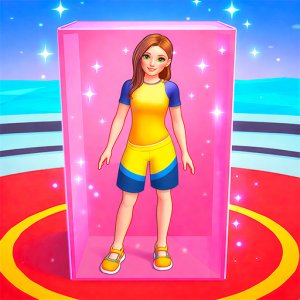
Dress Princess Online Puzzle Game is a dress-up and puzzle game designed for children. Players choose from a wide selection of hairstyles, hats, dresses, T-shirts, trousers, shoes, and accessories to style a princess. They can also add cute pets to complete the look. The game includes mini puzzles that appear during play, which players solve to earn extra points. Colorful graphics and simple controls make it suitable for kids aged 3 and up. It runs in a web browser on PC, mobile, or tablet.
How to Play
To play, look at the main screen with icons for each item category. Click any icon to browse options and select items for the princess. Mix and match to create a unique outfit. After dressing up, choose an emote for the princess to express her mood. When mini puzzles appear, solve them using your mouse or touchscreen to earn points. The game guides you through each step.
Game Features
Dress-up with many item categories. Mini puzzles for extra points. Pet selection to accompany the princess. Emote choices to show feelings. A points system that rewards creativity and puzzle solving.
Tips for Success
Take your time exploring all item categories to find combinations you like. Solve mini puzzles carefully to maximize points. Try different outfits and pets to see what looks best. Use the emote feature to add personality to your princess. Play regularly to improve your puzzle-solving speed and creativity.
❓ Having issues?
✅ This game supports: - Desktop browsers (Chrome, Edge, Safari) - Mobile browsers (Chrome on Android, Safari on iOS) ❌ Does NOT support: - Internet Explorer - Very old browser versions 👉 Try refreshing or updating your browser